To view the USA-S registrations report, please follow the below steps:
- Log in to Swim Manager
- Go to REPORTS
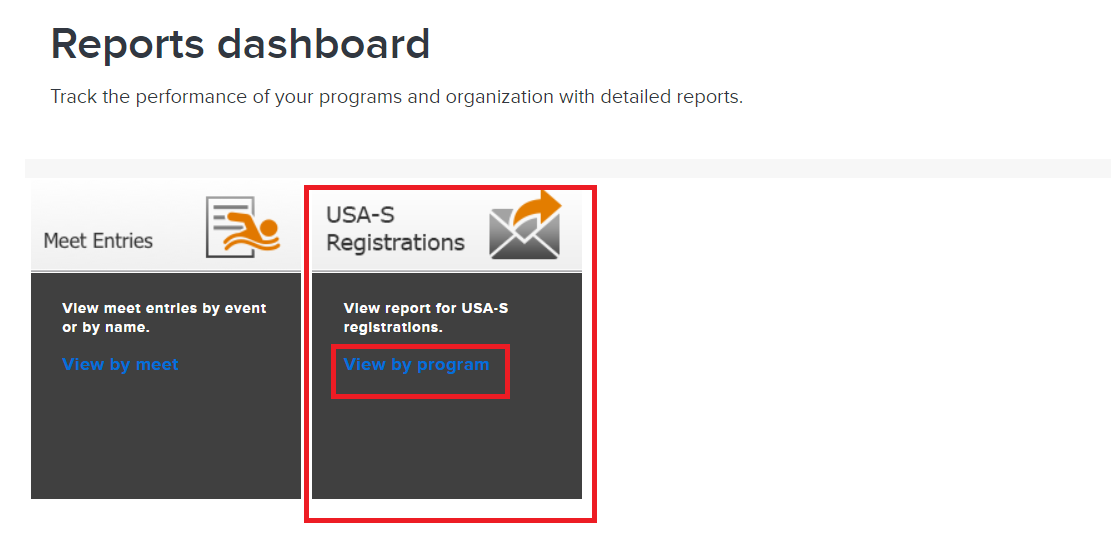
- Under Standard reports > USA-S Registrations, click on View by program
- Note: This report is visible when the program governing body is selected as USA Swimming
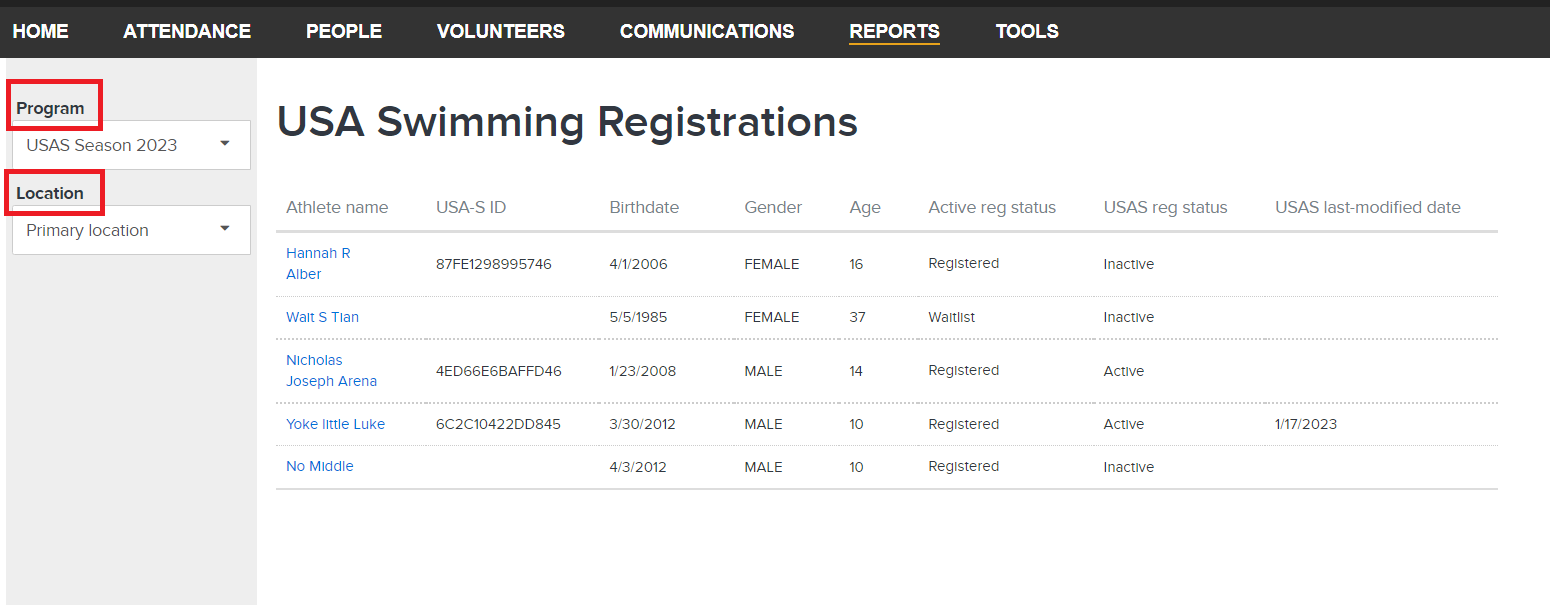
- Note: To filter the report, please select Program and Location on the left panel