Meet Manager for Swimming has a Check List available to help you with the set-up of a meet. As you complete items on the Check List, just check them to mark them completed. When you close Meet Manager and later re-open it, those items on the list will still be checked
If Check List is not displaying, in Meet Manager click on Help, then Show Check List
If you want to hide Check List click on Help, Hide Check List
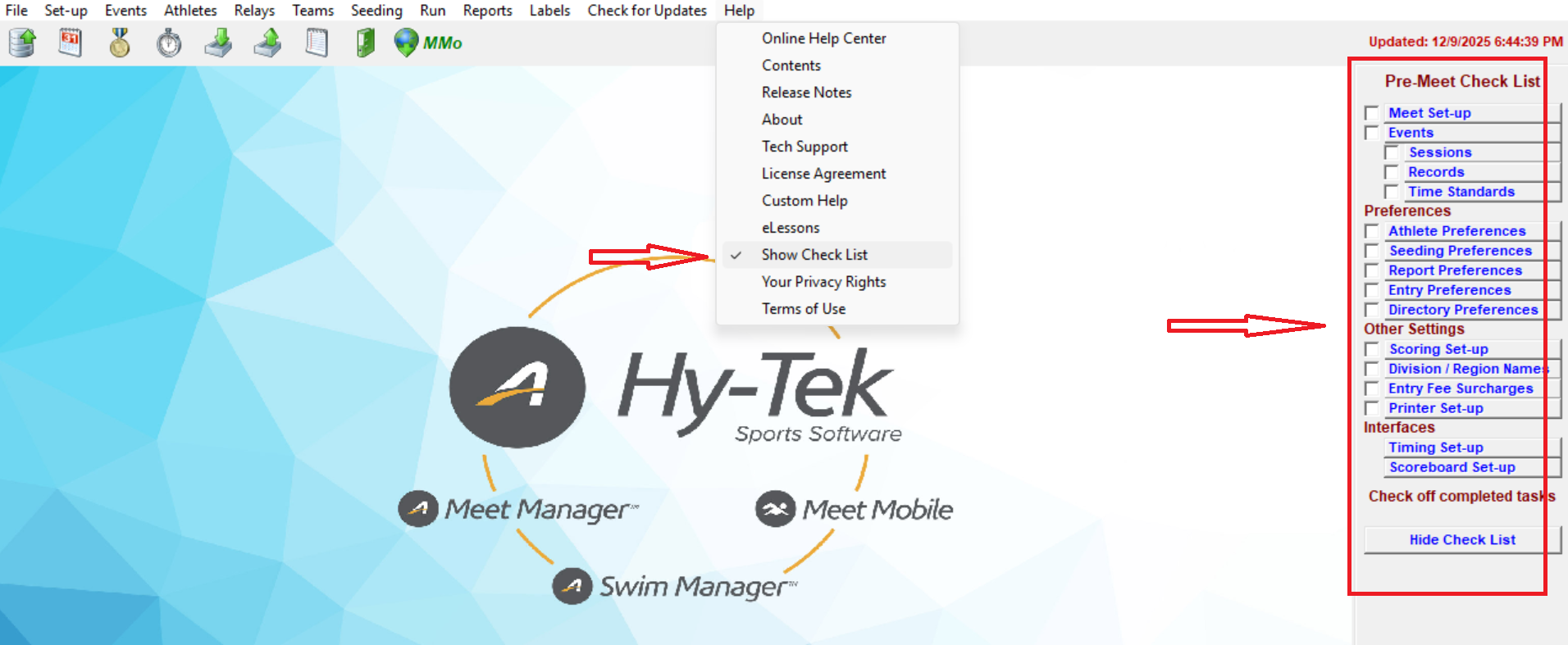
If Check List is not displaying, in Meet Manager click on Help, then Show Check List
If you want to hide Check List click on Help, Hide Check List
- Note: If an interface disappears when clicked, it means it’s not included in your license. Go to Help > About to check which additional features (sold separately) are enabled. To add new features, please refer to Want to Add Features to Your Meet Manager?